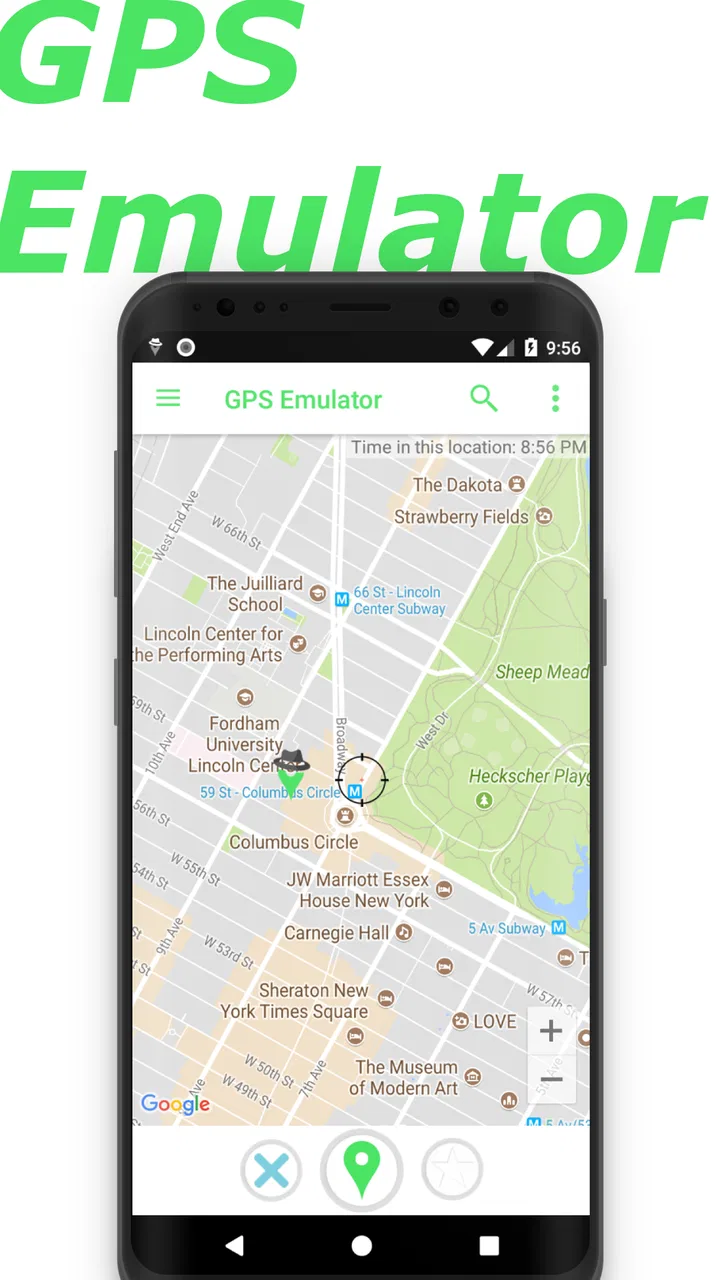
GPS Emulator
- 4.8
- Rating
- 10.00M
- Installs
- Free
- Price

 Analysis by App-foxy
GPS Emulator is the kind of Maps & Navigation app that makes sense only when you have a very specific reason to adjust the location reported by your phone. I tested it with that in mind rather than treating it like a normal map, route planner, or travel companion. Its purpose is to emulate your GPS position and change the coordinates other apps receive, so the important question is not whether it replaces Google Maps or Apple Maps. It does not. The real question is whether you want a focused location-testing tool and are comfortable using it carefully.
My first impression was that the app is straightforward in concept. You choose a point on the map, set it as the simulated position, and then check how another app reacts. That can be useful for developers, testers, privacy-conscious users working in controlled situations, or anyone trying to reproduce a location-related problem without physically traveling. It can also create confusion if you forget that the phone is reporting an artificial position. The biggest practical rule is to remember when the simulation is active.
Developed by Digitools UY, GPS Emulator is free to install and carries a Teen content rating. It has been available since October 18, 2016, and the current version is 3.16. The app has reached over ten million installs and holds an average rating of 4.8 from around 253 thousand ratings, which suggests that many people find its focused purpose useful. Those figures do not make it automatically right for everyone, but they do give the app a more established feel than an obscure utility with little user history.
You May Also Like

 Blood Strike: 2.5 Anniversary
Blood Strike’s Loadouts Turn Every Drop Into a Tactical Gamble
A close look at Blood Strike’s custom loadouts: how fast access to signature weapons reshapes its battle royale rhythm, rewards preparation, and narrows the gap between fights.

 Pandora - Music & Podcasts
Pandora’s Music Is Easy to Start, but Harder to Recover
Pandora’s strength is its low-effort path from a seed to a station. Its weak spot is how much confidence it asks you to place in connection, setup, and quiet recovery.

 8 Ball Pool
 Is Built on Rivalries, Rematches, and Routine
A close look at the rivalries, rematches, shared routines, and unanswered safety questions that turn a quick pool match into a persistent mobile community.

 Samsung Music
’s Quiet Strength Is Playing What You Already Own
Its reach comes less from spectacle than from dependable access to a personal library. That simplicity is both the app’s strongest retention engine and its ceiling.

 AccuWeather: Weather Radar
AccuWeather Review: A Quick, Clear Forecast for Everyday Decisions
For everyday plans, the best forecast is the one you can understand quickly. AccuWeather makes rain timing, radar, and local conditions easy to act on, with a few trade-offs.

 Hill Climb Racing
Why Hill Climb Racing Still Turns Crashes Into One More Run
A tiny car, a bumpy hill and one more upgrade: Hill Climb Racing keeps resurfacing because its simple chaos makes every near-miss feel personal.
More From Our News Desk



What GPS Emulator is really useful for
I would describe this as a hands-on location simulator rather than a navigation app. It is not designed to tell me which road to take, compare transport options, save holiday plans, or provide the surrounding context that a conventional map service offers. Instead, it changes the location signal used by the phone, allowing me to observe how location-dependent software behaves when the device appears to be somewhere else.
That distinction matters because expectations can easily go wrong. If you want directions to a restaurant, use a regular navigation service. If you are checking whether a location-based screen appears in a test environment, GPS Emulator is much closer to the right tool. The app’s value comes from the controlled change in position, not from map content or travel guidance.
A realistic everyday scenario would be testing a family-location application before relying on it during a trip. I could select a point near the destination, activate the simulated location, and see whether the app displays the expected area. Afterward, I would stop the simulation and verify that the phone has returned to its genuine position before using location services normally. This kind of rehearsal can reveal misunderstandings in an app’s location display without requiring a long journey.
Another useful workflow is troubleshooting a location-triggered feature. Suppose an application should show different information in different regions, but I am trying to determine whether the problem comes from my account, the app itself, or the device’s reported position. A controlled location change can help isolate one variable. It is not a complete diagnostic system, but it can make a test more repeatable than moving around and hoping the phone updates at the right moment.
Why the focused design can be better than a general map
Most mapping alternatives are built around finding places and getting from one place to another. Their strength is real-world navigation. GPS Emulator takes the opposite approach: it is useful precisely because it is not trying to become a full travel platform. For a developer or tester, that narrower purpose can reduce distraction. I do not need a route recommendation when I am checking how another app responds to a selected coordinate.
The trade-off is that the app is less forgiving for casual users. A general map usually makes the current position obvious and gives clear navigation context. A simulator can make the phone appear to be somewhere it is not, which affects other services in ways that may not be immediately visible. I would therefore use it with a written test plan rather than tapping around casually, especially when several location-sensitive apps are installed.
One non-obvious advantage is repeatability. If I need to test the same location more than once, selecting the same point again is more useful than trying to physically recreate the conditions. Repeatable testing helps when comparing an app before and after an update, checking a setting, or documenting a bug. The result still depends on how the other application handles simulated locations, so I would treat the outcome as evidence rather than absolute proof.
Controls and the importance of visible choices
The central user choice is clear: select a location and decide whether the phone should report it as its GPS position. That direct interaction is easier to understand than a system that changes location indirectly through several hidden steps. I appreciate tools that make the important action visible, because location changes can affect maps, delivery services, weather tools, social applications, and other software that reads the device position.
Before using it, I would check the phone’s location-related settings and make sure I understand which application is currently supplying the simulated position. Android’s developer-oriented location controls can also matter, particularly when another testing tool has already been configured. If the phone behaves unexpectedly, I would not assume GPS Emulator is the only possible cause; I would review those system choices and remove competing mock-location configurations.
The most useful habit is to create a simple start-and-stop routine. First, note the genuine location shown by a trusted map. Second, activate the test position. Third, inspect only the app being tested. Finally, stop the simulation, reopen the map, and confirm that the phone is reporting normally. This sounds cautious, but it prevents a surprisingly common mistake: leaving a false position active and later wondering why unrelated services are showing the wrong area.
There is also a practical difference between choosing a broad area and choosing a precise point. A broad selection may be enough to test regional content, while a precise point is more appropriate when the application reacts to distance from a venue or boundary. I would avoid assuming that a selected coordinate reproduces every aspect of being physically present there. GPS coordinates are only one part of how applications determine context.
Trust, privacy, and moments that deserve extra care
Changing a GPS position is not the same as becoming invisible. The app can alter the location signal available to other software, but that does not automatically change account records, network information, device identifiers, activity history, or information an individual service has already collected. This is the most important privacy distinction in my view. Anyone using GPS Emulator as a privacy tool should avoid treating it as a complete anonymity solution.
I would be especially careful with banking, emergency, delivery, workplace, healthcare, and security applications. These services may use location as one part of a broader trust or safety check, and an artificial position can produce an error, a warning, or an inaccurate record. It may also make it harder to explain what happened later. For ordinary testing, I would use a non-critical application first and keep sensitive services closed until the genuine location has been restored.
The same caution applies to games and social platforms that use location as part of their rules. A simulated position may not be accepted, may cause unusual behavior, or may conflict with the service’s own policies. I would not use this app to misrepresent attendance, bypass regional restrictions, manipulate rewards, or interfere with another person’s understanding of where I am. The technical ability to change coordinates is not a guarantee that every use is fair, safe, or permitted.
From a trust perspective, I prefer to judge the app by the controls I can see and by the limits I impose on my own workflow. GPS Emulator’s purpose is clear, but clarity of purpose does not remove the need for caution. I would review the app’s current Android permission prompts and privacy information on the device before granting access, because those details can change with platform updates and app releases. I would also avoid granting unrelated access when the operating system presents optional choices.
There is a useful separation between testing an app and sharing a location with another person. If I am checking how a location-sharing service displays a destination, I would use a test account or a clearly agreed scenario rather than surprising a real contact. That protects trust and makes the result easier to interpret. A simulator is most responsible when everyone involved knows that the location is artificial.
Who will get the most from it
GPS Emulator is a good fit for Android users who need a simple way to test location-dependent behavior. Developers can use it during early checks, support staff can use it to reproduce certain location displays, and technically confident users can use it to investigate whether a feature responds to a different coordinate. It can also help someone prepare a demonstration without traveling between multiple places.
I would recommend it to a friend who understands the difference between a simulated GPS reading and a real change of location. That friend should be comfortable checking system settings, closing sensitive apps during a test, and restoring the genuine position afterward. The app is most useful when the goal is controlled observation, not concealment.
I would advise a less technical user to skip it unless they have a clear, limited task. If the only goal is navigation, local discovery, traffic information, or sharing a genuine position, a conventional map app is safer and more suitable. Someone who frequently forgets which settings they changed may find the consequences more frustrating than the benefit is worth.
It is also not the right choice for anyone expecting a complete location privacy package. It does not turn every digital trace into a false one, and it should not be treated as a way to defeat account checks or safety systems. For privacy, I would begin with the phone’s permission controls, per-app location access, and account settings. GPS Emulator can be part of a controlled test, but it is not a substitute for those foundations.
Performance expectations and small sources of friction
The app’s narrow purpose is a strength, but it also means that the quality of the experience depends on what happens outside the app. Another application may cache an old location, refresh slowly, reject simulated coordinates, or combine GPS with other signals. When a test seems unsuccessful, I would first wait for the target app to refresh, then check its own location permission and finally confirm that the simulated position is still active. This step-by-step approach is more reliable than repeatedly selecting new points.
Some services may also behave differently after a restart, account sign-in, or network change. That does not necessarily mean the simulator failed. It may mean the target service has its own validation process. I would record the exact sequence of actions during a test, including whether the target app was already open, because that detail can change the result.
The free price makes experimentation accessible, although the app includes in-app purchases ranging from around one dollar and fifty cents to around two hundred dollars per item. I would not purchase anything simply to explore the basic idea. Before paying, I would inspect what the particular purchase changes and whether it solves a limitation relevant to my own workflow. The presence of optional purchases is a reason to read each visible purchase screen carefully, not a reason to assume that every user needs them.
Compatibility is another practical checkpoint. GPS Emulator requires Android eight or later, so it is suitable for relatively recent Android devices but not for phones that cannot meet that system requirement. I would check the operating system before planning a test, especially if the device is old or used for field work. The app is listed as a Teen-rated product, which is another reminder that changing location can have consequences beyond a simple map experiment.
How I would use it responsibly
My preferred process is deliberately conservative:
I close location-sensitive services that are not part of the test, particularly anything involving safety, payments, deliveries, or real-world commitments.
I note the phone’s genuine position and write down the exact behavior I want to check.
I select one test point in GPS Emulator rather than changing locations repeatedly without a purpose.
I open only the target app and allow enough time for it to refresh before drawing conclusions.
I stop the simulation, verify the genuine position in a separate map, and then reopen normal services.
This workflow also answers a question many new users have: how do I know the test is finished? I would not rely only on closing GPS Emulator. I would actively restore the normal location configuration and confirm the result in another application. If the phone still reports the test point, I would review the system’s mock-location setting and restart the relevant services before continuing.
For repeat testing, I would keep a small note with the chosen coordinates, target app, expected result, and actual result. That turns the tool from a novelty into a useful diagnostic aid. It also reduces the temptation to make a sweeping conclusion from one inconsistent refresh. The more sensitive the target app, the more valuable this disciplined record becomes.
My cautious verdict
GPS Emulator does one unusual job and can do that job well enough to earn a place in a tester’s toolkit. Its strong rating and large install base show that the idea has broad appeal, while its focused design makes it easier to understand than a complicated location-testing suite. I like it most when I treat it as a temporary laboratory tool: choose a coordinate, observe one controlled response, and return the phone to normal.
I would not recommend it as a replacement for navigation, a guaranteed privacy shield, or a shortcut around location-based rules. The main limitation is not simply technical; it is the risk of forgetting that the simulated position can influence other applications. That makes personal discipline part of the product experience.
For an Android user with a specific testing problem, the free entry point and clear purpose make GPS Emulator worth trying. For everyday travel or genuine location sharing, the usual map and system privacy controls are better choices. My recommendation is positive, but conditional: use it for controlled experiments, keep sensitive services out of the test, and always verify that the real GPS position has returned before carrying on with normal phone use.
FAQs for GPS Emulator
01What is GPS Emulator and how does it work?
GPS Emulator is an application that allows users to simulate GPS locations on their Android or iOS devices. By selecting any location worldwide, users can spoof their GPS coordinates, which is useful for testing apps, playing location-based games, or maintaining privacy. It works by overriding the device’s native GPS data with the user-defined location.
02Is GPS Emulator safe to use on my device?
Yes, GPS Emulator is generally safe to use as long as it is downloaded from reputable sources like the Google Play Store or Apple App Store. However, users should be cautious as misuse can lead to account bans in location-based apps. Always check app permissions and reviews before installation.
03Can GPS Emulator affect other apps or my device's performance?
GPS Emulator may affect the functionality of location-based apps by providing them with incorrect location data. It usually doesn’t impact overall device performance, but users might experience issues if their apps rely heavily on accurate GPS data. It’s advisable to disable the emulator when not needed.
04Will using GPS Emulator violate the terms of service of other applications?
Using GPS Emulator may violate the terms of service of certain applications, especially those that rely on accurate location data, like gaming apps or social networking platforms. It’s crucial to review the terms of any app you use with GPS Emulator to avoid potential account suspensions or bans.
05How do I install and set up GPS Emulator on my device?
To install GPS Emulator, download it from the Google Play Store or Apple App Store. Once installed, open the app and grant necessary permissions. Select your desired location on the map and activate the emulator. Make sure to toggle off the app when not in use to prevent unintended location spoofing.
Pros
- Easy to set up and use.
- Supports multiple location formats.
- Works offline
- no data needed.
- Customizable settings for precision.
- Compatible with most apps.
Cons
- May drain battery quickly.
- Occasional location inaccuracies.
- Limited support for older devices.
- Potential conflicts with GPS apps.
- Requires frequent updates.

GPS Emulator
Gallery